
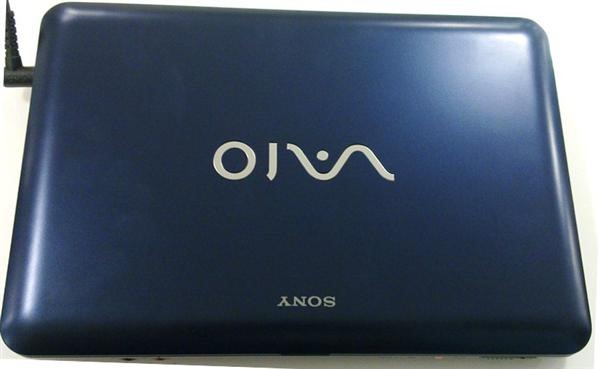
Sony is the maker of famous ultraportables or shall we say expensive ultraportables. But, with its Vaio M netbook, for the first time, we are looking at Sony showing peculiar affection towards the budget netbook market. The Vaio M is a brave attempt by Sony to eat a small piece of the already over-saturated 10-inch netbook form factor.
Sony Vaio M has rounded corners and from a distance looks quite like the Sony Vaio W. It looks expensive and avoids cheap appearance of the 10-inch netbook category. The Sony Vaio M comes in three colors – pink, blue and white, all-around pleasing gadget to the eyes.
Even though it is budget netbook, it does not show any signs of cheap construction anywhere. It is robust and well made and can take some beating too. The lid and the silver chassis has a matte finish and thus has inversion to fingerprints.
All the USB ports are grouped to the right of the device. A big USB device can occupy the space for other USB ports. We recommend using a USB extension cable when using a big USB device.
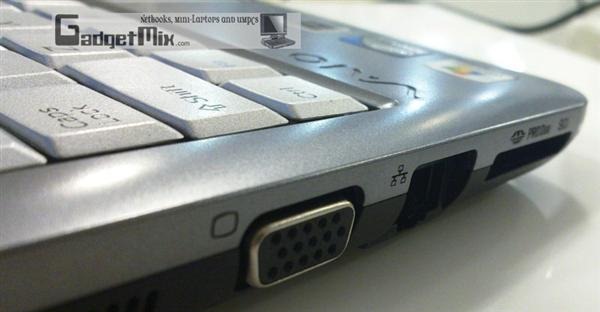
Other ports are present on the left side – power port, VGA port, LAN and SD/memory stick reader.
Display
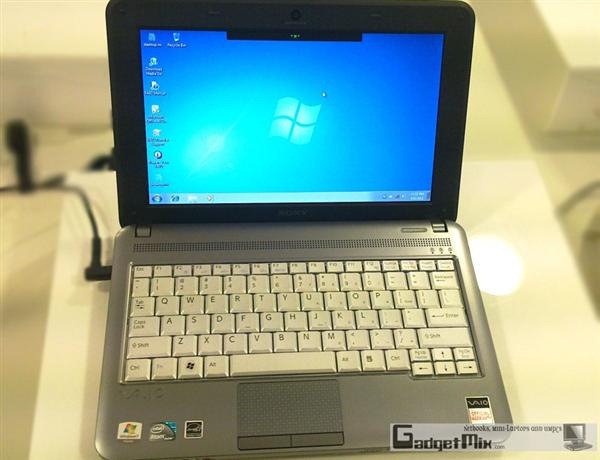
Its 10.1-inch screen has much better saturation levels and color reproduction than most of the netbooks we have tested so far. Compared to the Vaio W, the resolution has been reduced to 1024×600 pixels. But, we love the fact that it is matte in nature and we had no issues using it in bright light.
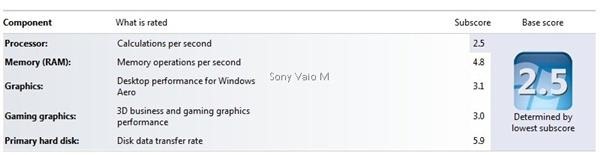
As expected from a budget netbook, the Sony Vaio M’s specs did not set our pulse racing. It has an Intel Atom N470 1.83GHz processor, which runs at a higher clock speed than the Atom N450 processor. But one shall not take higher clock speed as a litmus test while judging the performance. The capabilities are still limited to basic office work and web-surfing. Do not even think of playing a HD video on it, unless you are in a mood to watch a slideshow of the movie. 🙂 Perhaps that tells the story why there is no HDMI onboard.
The battery life is average at best – running for about five hours on a single charge. This is half of what other netbooks in the same category are getting.
Vaio M comes with a roomy 250GB hard disk which should be good enough for storing plenty of movies, photos and songs. It also has built-in multi card slot which accepts both memory stick and SD card.
Keyboard
The keys are surprisingly not chiclet and we found the keyboard to be a bit cramped, just like the Acer Aspire netbooks. Compared to the Vaio P and W, we found ourselves typing at a slower rate. We feel that the Sony could have made better use of the limited space it had for the keyboard. The keyboard could have been end-to-end, but it wastes half inch from both the sides. But, if are you planning to just edit documents on this netbook, go ahead and buy it.
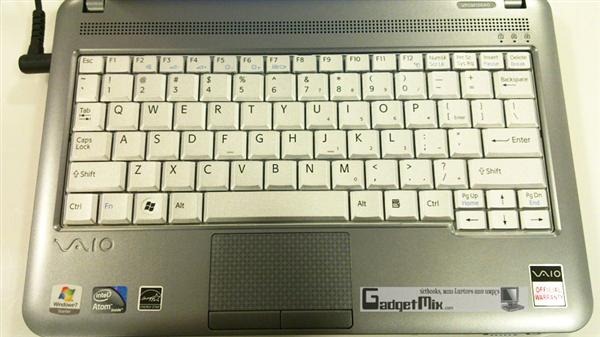
The trackpad is fine and we had no problems working with it. The keys on the trackpad though require a firm press to register a click, just like Asus netbooks out there.
Verdict
The Vaio M, 33mm high, is not sleek like other Vaio netbooks. Almost any netbook with a 6-cell battery will surpass the Vaio M in terms of runtime with no difference in performance. So, it all comes down to this – if you have been waiting to own a Sony Vaio, but could not afford until now, step outside and get this. If you are a serious netbook user, get any netbook with a 6-cell battery and you will be much more happier.
+ memory card slot accepts both memory stick and SD card
+ Sony Vaio with a cheap price tag
+ Amazing display
+ Good build quality
– 1GB RAM. 2GB would have made the device snappier.
– No HDMI
– no chiclet keyboard
– so-so battery life (compared to other 6-cell netbooks)