
Linux Mint 8 is the newest Linux distro on the block. We, at Gadgetmix, have been testing the new Mint from the past few days on a variety of netbooks. So, does this distro offers something newer, better than the popular Linux distros like the amazing Ubuntu 9.10 Karmic Koala. Can it be used as Windows alternative? How user friendly it is? Get all these questions answered in this review.
Installation
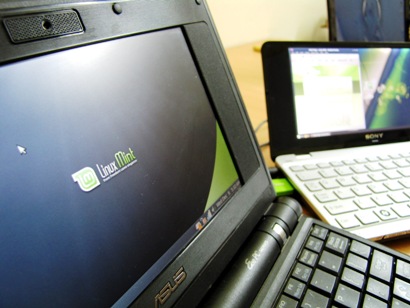
The Linux Mint 8 OS was installed on 3 one of the most popular netbooks of all time: Asus EEE 701 (first proper netbook), Acer Aspire D250 (Acer’s best selling netbook) and Sony Vaio P.
The Mini 9 takes about 2.1GB of storage space, which means that it can be installed on the netbooks that come with just 4GB of storage. I installed it on the 4GB SSD-equipped EEE 701 with 300MB of swap space with no problems.
Installation is just like Ubuntu. I used unetbootin to make bootable flash drive.
Boot
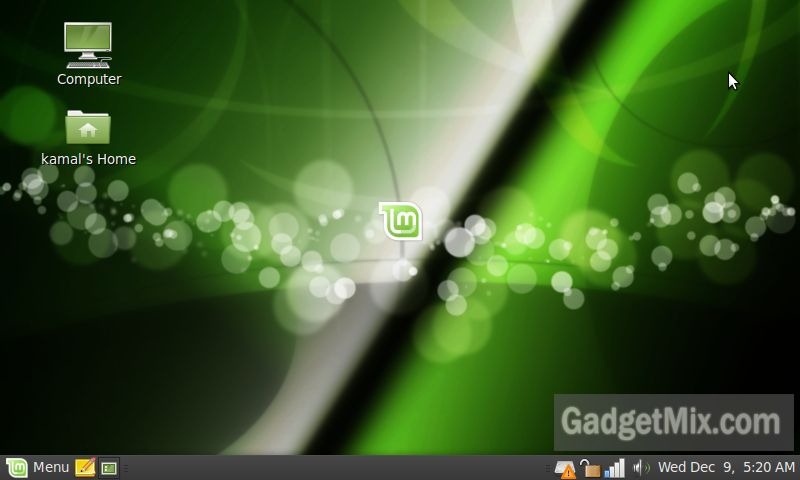
The boot is noticeably quicker than the Ubuntu 9.10 standard and Ubuntu 9.10 Netbook Remix. The boot screen appeared for just 2 seconds on the EEE 701 and then the login screen appeared. It takes about 35 seconds before the whole system becomes usable. Not bad, considering the fact that most companies lie when they say that the boot time is just 7 seconds or so. They do not take into account if the system has become usable or not. The OS could be loading several things in the background even though the main screen has appeared.
Software Bundle
Linux Mint 8 comes bundled with plethora of apps. Here is the full application list.
Application List: (category-wise)
- Accessories: Calculator, CD/DVD creator, Character map, Disk usage analyzer, File Uploader, gedit, Print Jobs, Password and Encryptions keys, Search, Screenshot utiltiy and Terminal
- Graphics: GIMP, OpenOffice Drawing, Scanner utility
- Internet: Firefox, Giver (file sharing utility), Thunderbird, Pidgin, Sun Java, Transmission BItTorrent Client, Xchat (IRC client)
- Office: Dictionary,OpenOffice Database, OpenOffice Presentation,OpenOffice Spreadsheet,OpenOffice Word Processor
- Sound and Video: Brasero (create CDs/DVDs), Mplayer, Movie Player, PulseAudio device chooser, Volume Control, Rhythmbox, Sound Recorder
You also get CompizConfig to manage Compiz. By the extensive app list, it is clear that Linux Mint 8 comes with a bigger application suit that the Ubuntu 9.10 as-well-as its Netbook Remix edition.
It was nice to see Java pre-installed there.
The applications are installed by Software Manager. To help the user to choose the best and the most popular apps, scores and rating system has been given. Otherwise, it is similar to Ubuntu’s software center.
So, what is not there?
There is no built in GMA 500 support. Note that this affects only those netbooks that come with GMA 500 chipset. Most of the 10-inch or smaller netbooks do not come with this chipset.
Taskbar
I must confess, I have never used Linux Mint before as I have always been an Ubuntu fan. Ubuntu, by default has two bars: one at the top and another at the bottom. Tasks open at the bottombar. This actually wastes few pixels, which are very valuable in case of netbooks which generally have 600 pixels vertically (most netbooks come with 1024×600 resolution).
Linux Mint 8 OS combines both of the bars into a single bar, much like Windows. This gives the user few more pixels to work with. Also, folks moving from Windows OS to Mint won’t feel much change in interface.
Performance
Mint 8 is speedy, even on my EEE 701 with celeron processor that runs at 600Mhz clock speed. It was as fast as Ubuntu which I use on my Aspire D250 netbook.
It also played back all of my media flawlessly out of the box. This is something that was experienced in only Jolicloud linux OS. This makes it a great alternative to Jolicloud OS which will cost $$. Mint 8, even though, being free won’t let you down.
Note that all the apps meant for Ubuntu will work on Mint 8 OS.
Can it be used instead of Windows?
Well, it can be. It comes with Open Office suit for your office needs. It has the excellent Firefox 3.5 browser for web-browsing. You can also install Opera web browser from software center, if you wish to. It has Pidgin, the tried and tested chat client. Heck, there is even an IRC and torrent client. If you are not down with that, visit software center to find the application you are looking for.
Bottom Line
Linux Mint 8 OS is a great OS for those who want to enjoy near flawless out-of-box experience. It has all the necessary apps built from DVD burning app to Internet browser to office suit, it has it all.
Recommended for netbook users, who want to try something other than Ubuntu.