
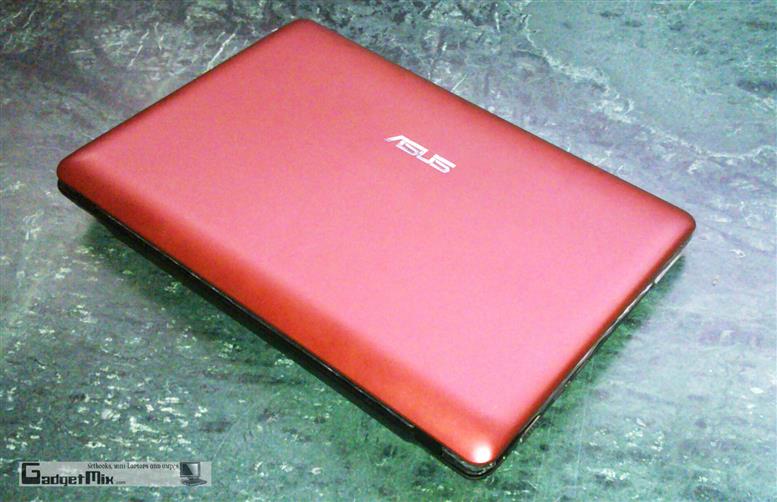
Many are already calling the Asus Eee PC 1215N the king of netbooks since it packs the dual-core Atom and Nvidia ION featuring the Optimus technology. Netbooks generally are not considered as the most powerful computers out there, but with the Asus Eee PC 1215N, Asus might be able to change that perception.
First let us take a quick glance at the specs of our Asus Eee PC 1215N review unit:
* Atom D525 1.8GHz processor
* 320GB hard disk drive
* 4GB DDR3 RAM
* 12.1-inch display, glare-type
* Windows 7 Home Premium 32-bit OS
* 3x USB ports
Design and Build
From outside, the Asus 1215N looks amazingly similar to the rest of the Asus 12-inch 1201xx series, except for one difference – the lid is matte, but it still catches fingerprints. The display packs 1366×768 pixels which has become the standard for the 12-inch netbooks now. I did not observe any difference compared to my AMD Neo powered Asus Eee 1201T 12-inch netbook.
Keyboard
The keyboard is same as rest of the Asus 1201xx netbooks. This means that it is good enough for full speed touch-typing. I use Asus 1201T as my daily driver and it works admirably. That said, I do feel that the small right shift key would annoy a lot of people.
(sorry for the crap picture. My camera started acting up)
Asus continues to have Achilles heel when it comes to touchpad. I would still prefer the touchpad of the Asus Eee 900 series over any netbook. May be it is just me, but looks like the touchpad on these Seashell netbooks and me will never become friends.
The palm rest area is matte and prevents your hand from slipping.
Ports
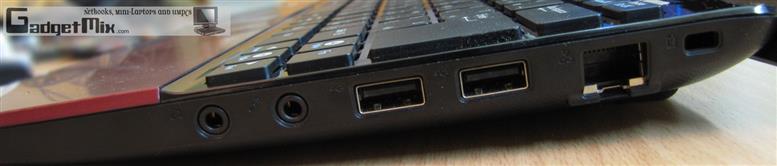
On the right side, you will find Kensington lock, LAN port, 2x USB 3.0 ports, headphone and microphone.
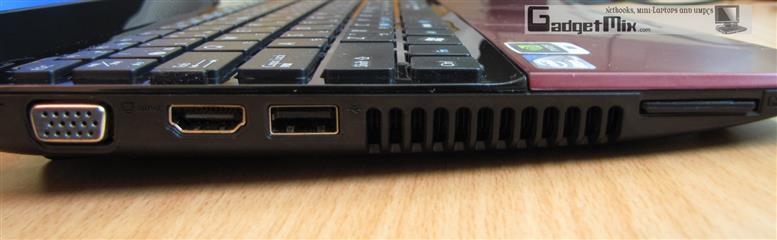
On the left side, you will find power jack, VGA port, HDMI port, USB 2.0 port (supports sleep-n-charge), and SD card reader.
Performance
The main thing that differentiates this the rest of the netbooks is its Atom D525 processor which supports HT too. Powerful processor coupled with powerful GPU allows smooth-multitasking and great performance. The ION GPU is powerful enough to play your locally stored 1080p videos. Make sure to get a software that uses the GPU for HD playback. I recommend using the CoreAVC codec.
It scored 2671 and 2330 in the 3D Mark and PCmark test respectively which is close to what you get in notebooks. You can certainly use it as a notebook replacement.
Battery Life
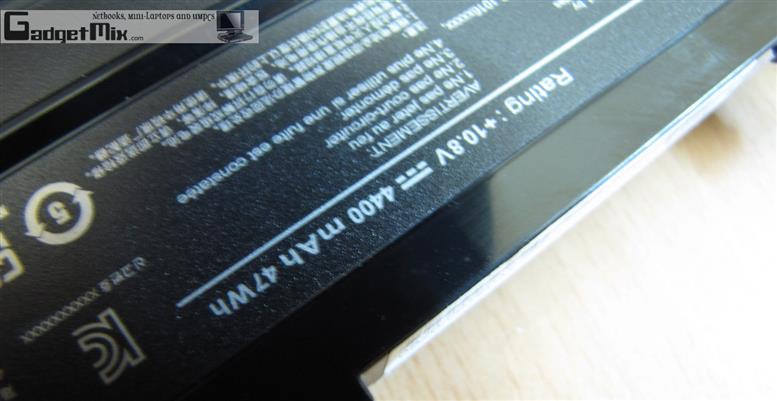
My test unit came equipped with the 4400mAh battery. With normal usage, which involves Internet surfing via Wi-Fi, I got a little over 3.5 hours, which is good considering how much power is packed into this mini-notebook. In gaming mode, I got 1 hour 20 minutes runtime. Playing a full-HD clip will give you mere 1 hour 45 minutes of runtime. Getting one with 6-cell 5200mAh will surely help to get numbers in battery department.
Speakers
There are two speakers on the device, located on the bottom. They produce noise loud enough for sharing a YouTube clip with your friend.
Upgradability
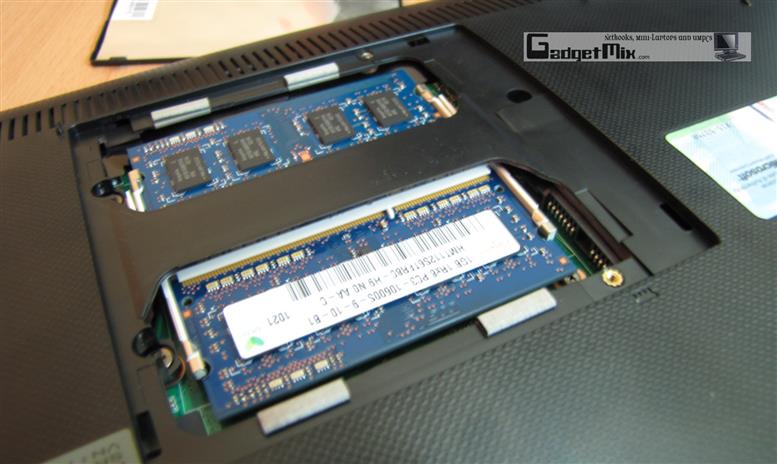
The user is only given access to the RAM. To upgrade the HDD, you will have to unscrew all the screws from the bottom and then take the keyboard off. Obviously, this is not easy at all for the casual user. Here are a couple of pictures on how to upgrade the RAM. There are two RAM slots.
Miscellaneous
The Asus Eee PC 1215N also comes with a privacy cover that allows you to hide the lens over, also found in Asus 1018p.
Verdict
With all those amazing specs and performance, the Asus Eee PC 1215N is more like a sub-notebook than a netbook. It has Optimus Technology that translates in more efficient battery usage based on the CPU load and finally, it lets you play some of the most amazing games out there, at low/medium detail.
The use of Atom D525 and next-generation ION graphics is a winner combo as it scored nearly 1000 points more in 3DMark06 benchmark compared to Asus 1201n that came with Atom 330 and first-generation ION graphics.