Alienware M11x review
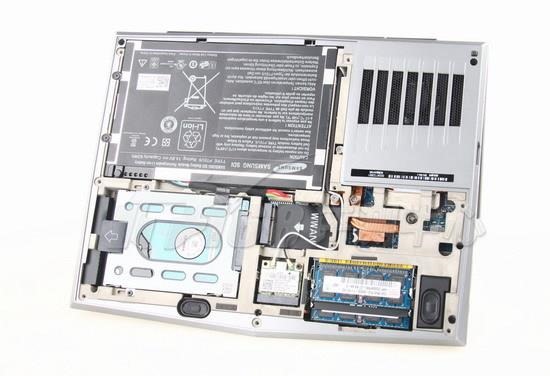
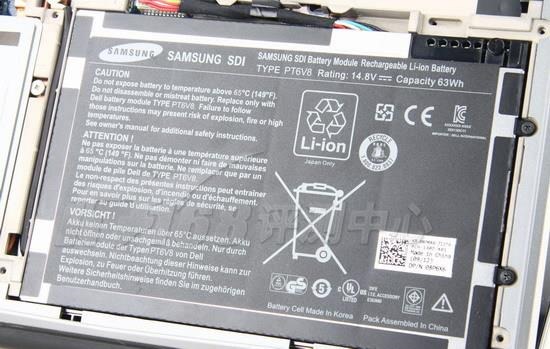
The 2011 update of the Alienware M11x has significantly improved graphics performance and longer battery life, and its solid build, USB 3.0 capability and 5.1 surround-sound Klipsch speakers make this a great leap forward for the M11x. Let su take a look at some Alienware M11x pictures:
The chunky M11x still lacks an optical drive, which won’t suit some people, but for a portable gaming laptop it’s tempting. Last year’s version was a rare marriage of compactness and performance, especially graphics-wise, all for a very reasonable price.
The 2011 update is the Alienware M11x R3. Externally it’s identical to the old model but inside there are a few changes since the last version.
The entry-level model is powered by an Intel Core i5-2537M processor and 4Gb of 1333MHz DDR3 RAM, with an Nvidia GeForce GT 540M 1GB spitting out the pixels. The M11x R3 also includes Intel HD 3000 Optimus integrated graphics for optimal battery life. A nice fat 500GB 7200rpm hard drive gives plenty of storage. And the OS is Windows 7 64-bit Home Premium.
The M11x R3′s shell has a silky feel and matte finish. The minimalist design team have limited themselves to a black alien skull on the back lid and one above the keyboard for adornment, with a speaker grille and LED headlights on either side.
At more than 2 kg the Alienware M11x R3 is slightly less than ultraportable. The all black interior retains its LED-backlit multicolor keyboard. The 11.6-inch 1366 x 768 resolution display is glossy, and the biggish touchpad is a joy to use. The lights can be configured to various rainbow settings or even strobed.
5.1 surround-sound Klipsch speakers are outstanding for an ultraportable, enhancing the whole gaming experience. Maximum volume will have the neighbours complaining. Gamers will not miss the optical drive, as the pre-installed Steam will satisfy their gaming needs. Though for such a heavy machine Alienware could have included one.
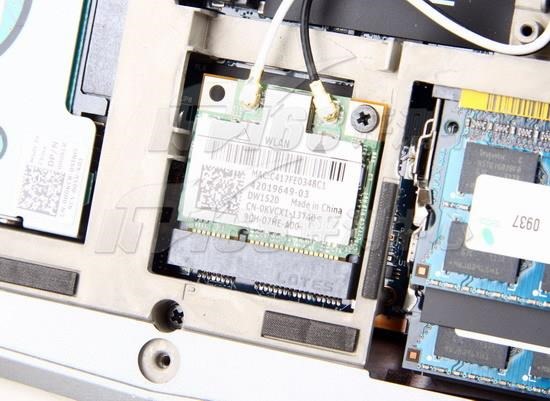
The M11x R3′s features both HDMI and DisplayPort, stereo speakers, dual headphone jacks, mic jack, 2 USB 3.0 and one USB 2.0 socket. Then there’s a dual SD card slot, and Mini-FireWire, Ethernet and 802.11n WiFi, Bluetooth, as well as optional WiMax.
Support of both HDMI and DisplayPort is a brilliant feature, even though VGA is missing. Gamers will probably prefer the DisplayPort to VGA.
The Alienware M11x – Performance
Admittedly the Alienware M11x R3 is very chunky when compared with the 11-inch MacBook Air or the HP DM1Z. But it wipes the floor with them for performance.
The Alienware M11x R3 really does tick all the boxes. For an ultraportable it’s chunky, but for a gaming machine it’s still probably the most portable thing out there. And its appearance is streamlined for such a squat package.
The Intel Core i5-2537M processor can be upped to an i7-2617M for an extra $200. The faster RAM can now be increased to…16GB, though that’ll cost a cool $1000 on top. The extortionate price list of upgrades goes on…the standard 320GB HDD can be expanded to 750GB for another $100, or changed to a 256GB SSD for $600. But I think we’re getting carried away. This thing does not have an optical drive, for heaven’s sake.
Performance wise the Alienware M11x R3 just edges the Lenovo ThinkPad Edge E220 on every benchmark, from encoding to graphics processing to multitasking. The Acer Aspire TimelineX 1830T and the Samsung Series 9 trail significantly.
Simply put, if you want a portable gaming machine and you can live without a disc drive, this is it.
Enjoy this cnet Alienware M11x video review:
Related posts:
- Review: Dell XPS 15z
- Asus U36Jc review
- HP Envy 14 review
- Toshiba Qosmio X775 review
- Review: MacBook Air
Sign up to the Gadgetmix Newsletter (free) for news and reviews mailed directly to your mailbox CLICK HERE


[...] such as “Alienware M11x R3 hands on review”. This is Alienware M11x R3 {a href=”http://gadgetmix.com/articles/alienware-m11x/“}notebook [...]