
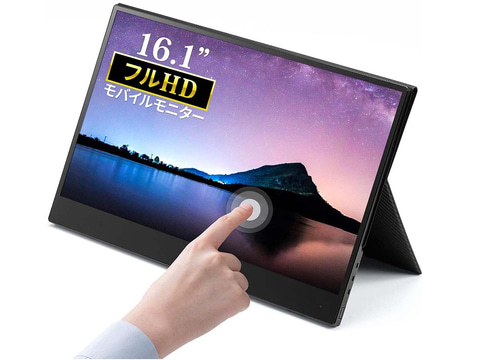
Sanwa Supply has released 400-LCD003, a 16.1-inch touch-compatible mobile liquid crystal display. The price is 360 dollars, but you can purchase it for $340, which is 20 dollars off until July 16th through the company’s direct online sales.
400-LCD003 mobile LCD that can be connected via a single USB Type-C cable (for DP Alt mode) or HDMI. Compared to 400-LCD002, the liquid crystal size is one size larger, and it has a non-glossy to glossy anti-fingerprint processing touch panel.
To use the touch panel, you need to connect to a PC with USB Type-C, or when using HDMI, you need to connect with a USB Type-A to USB Type-C cable.
The resolution of 400-LCD003 is 1,920 x 1,080 pixels, the number of display colors is about 16.77 million colors, the brightness is 250 cd / sq.m, the response speed is 25 ms, the contrast ratio is 800: 1, and the viewing angle is 178 degrees both vertically and horizontally. Comes with a stand cover that can be used as a display stand.
The interface of 400-LCD003 includes USB Type-C x 2, HDMI, USB Type-A, 3.5mm stereo mini jack, and also equipped with 1W x 2 stereo speakers. The main body size is 368 x 235 x 10 mm (width x depth x height).