
HTC Shift comes with Windows Vista only. There is no official support for Windows XP. But, Vista drivers seems to work fine on the Windows 7 (of course in compatibility mode). The snapvue also seems to work fine in Windows 7. To install Windows 7 on the HTC Shift, you will need an external DVD drive.
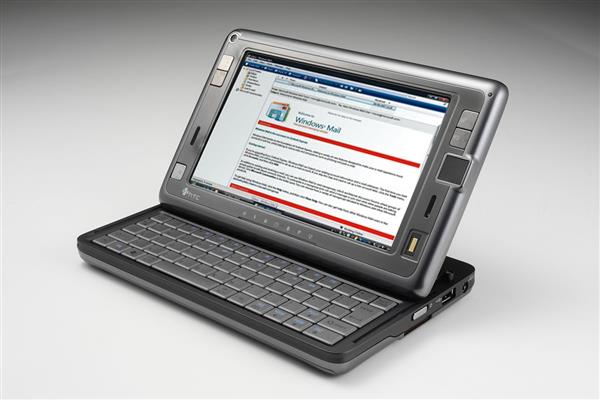
Here is a step-by-step guide to install Windows 7 on Shift. (thanks to deadnex at xda-devs)
• Download the beta image from Microsoft
• Burn the image to a DVD
• Enable wifi and Bluetooth in Vista.
• If you want to dualboot Windows 7 and Vista you need to partition your harddrive before starting the installation. Use a suitable partition manager such as Paragon Partition Manager and shrink c:/ to approximately 15-17 GB. Create a new partition in the free space.
• Connect the USB DVD drive to your shift
• Press fn+0 (F10) after turning on your shift – select the DVD drive
• Follow the steps for installing Windows. Remember to select partition 2 as target partition if you want to dualboot with Vista. If not you can safely format the existing partition. This will not affect the recovery partition. If you prefer to upgrade from Vista to keep your files and programs you can start the installation from Vista instead of booting the DVD. However, since Windows 7 is still a beta OS this might cause some unknown problems. I recommend installing a fresh copy and dualboot with Vista.
• Download the shift drivers from HTC
•When you install the drivers – beware that you have to install them with Vista Compatibility mode enabled and run as Administrator. Right-click the driver setup file – click the Compatibility tab – select Windows Vista and mark “run this file as Administrator”
• Install all the drivers in the order below and restart your computer when asked to:
a. VistaECDrvV1[1].0.1.10
b. Intel VGA driver(7[1].14.10.1461)
c. TouchScreen(1[1].1.0.2)
d. Synaptics MicroPad(10[1].0.11.1)
e. Marvell WiFi driver(8[1].114.123.139)
f. Vitakey _AC5023_Fingerprint AP v5[1].0.2.0 and Driver v7.10.1.0 *
g. Extension Kit USBLanDriver(3[1].8.3.7)
h. Utils Installer Bluetooth Stack for Windows.rar (to have better control over BT without CC) or BluetoothTileInstaller.zip
i. run windows update to install WMDC (Windows Mobile Device Center)
• – VISTA_INTEL Chipset Driver v8[1].3.0.1014 You can use Windows Update for this one. Realtek Audio Driver R197(6[1].0.1.5653) is also not needed. It will work fine using the default Windows driver.
• Shagctrl_1[1].2.6.122-control center does not work in Windows 7 but you can still install it to get the resolution changer button working. To disable shagctrl from starting with windows and crash – click start menu – run – msconfig – deselect shagctrl from the startup tab. Note that you have to disable aero to get the 1024×600 interpolated resolution working. Right click on dektop -> personalize -> and choose the first “easy of access” Theme.
• To get the 3G connection working you need to liberate SnapVue. If your shift is already liberated:
1) Run the USBTool in WM and Windows Mobile Device Center in Win7 > connect
2) Run Network Internet Share in WM> connect
3) Switch to Win 7 and you can access to internet successfully
Follow one of these guides to liberate your shift and get USBTool:
Follow one of these guides to liberate your shift and get USBTool:
Enabling full WM the REALLY EASY SHIFTpack way
Full Instructions for getting WM6, RealVGA, Office and IE
• If you cannot find or install WIFI or BT (you forgot to enable them in Vista before installing Win7), you might need to start them from the Embedded Controller. Seems like they are disabled. If you are dualbooting Vista and Win7 you can enable BT and Wifi in Vista instead of using HSECT2 and CYGWIN.
Run cygwin\setup.exe, and select install from folder. select ioperm from the devel subfolder.
Unselect icons on desktop and start menu and finish.
Run cygwin.bat from c:\cygwin at the command prompt
type “ioperm –i” + enter
move hsect-2.1\hsect2.exe and move it to c:\cygwin\bin
type “hsect2 -W 1″ + enter then typr “hsect2 -B 1″ + enter at the command prompt
it will show BT and WiFi enabled
Finally typy “exit” to quit command prompt
• If you encounter any problems with SnapVue while running Windows 7 you can soft reset WM by using ECShift.exe
you can type ecshift.exe -help to get command info
ecshift.exe –reset