
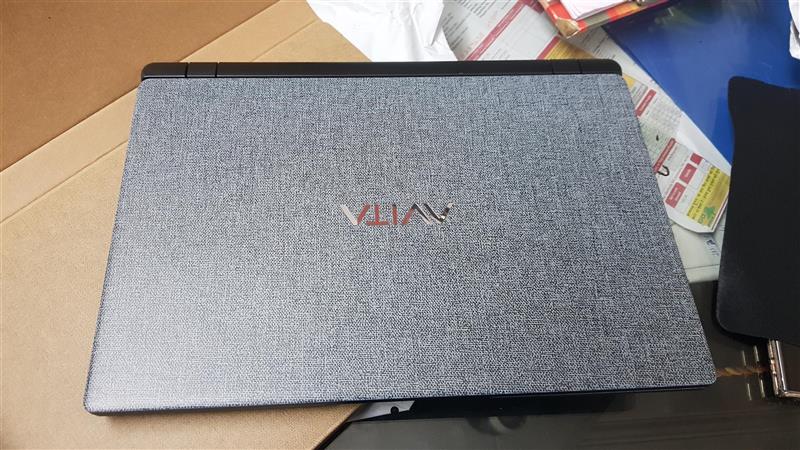
AVITA Essential NE14A2INC433-MB is an entry level, cheap laptop that offers excellent value for money. It costs under $300 / INR 20,000 which makes AVITA Essential NE14A2INC433-MB / Essential 14 an excellent laptop for working from home. It is totally fanless which is great for using it while placed on lap.
Unboxing
Gadget mix posted an unboxing video of AVITA Essential NE14A2INC433-MB which shows what comes in the package. It is relatively a small package that includes laptop, a compact charger and some leaflets.
Performance
AVITA Essential NE14A2INC433-MB is powered by Intel Celeron N4000 processor which was released back in Q2 2018. It runs at 1.1GHz and based on Intel Gemini Lake architecture. It has two cores and two threads.
On the passmark website, Celeron N4000 got 1466 that makes it a very capable processor. This is same score that mid range i3 / AMD A6 processors got back in 2015/2016. For instance, my desktop has AMD A6-5400K processor and it has passmark score of 1249. Pair that with SSD and tweaked Windows 10, you have a capable machine that can do video editing as well on emergency situations. I have installed Movie Studio 14 on it and I will update this review once I render few videos on it.
The TDP is 6W which allowed Avita to keep the laptop totally fanless just like the new Apple M1 Macbook Air. So, there is one less thing to break.
Display
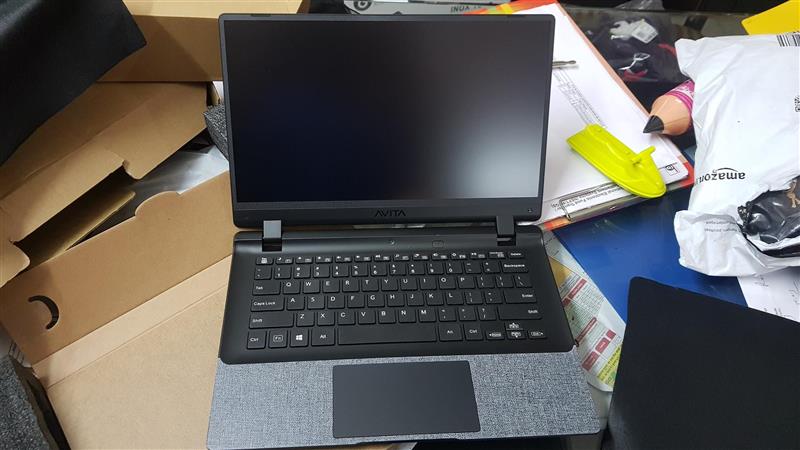
The display is best part of AVITA Essential NE14A2INC433-MB. It has full HD 1080p panel that packs 1920×1080 pixel resolution. To make most out of screen and to make it show more text at a glance, I suggest changing zoom from 150% to 125%. It is razor sharp which is uncommon at this price level. The frame around the screen is very thin so you will have to take care of the display. I suggest using a laptop sleeve when not using laptop.
Keyboard and touchpad
AVITA Essential NE14A2INC433-MB comes with a Chiclet keyboard. I like the fact there is full size right shift key, which is crucial for optimum typing experience. Keys feel a bit too mushy for my taste but that was expected at this price point.
For some reason, AVITA Essential NE14A2INC433-MB lacks a dedicated key for context menu so I remapped right control key to context menu using keyboard mapper app.
The touchpad supports multitouch gestures. This includes two finger scrolling to scroll up and down. For context menu, you can tap with two fingers simultaneously.
Upgradability
The AVITA Essential NE14A2INC433-MB cannot be upgraded at all. The memory is soldered onto the motherboard and so is the 128GB SSD. The only thing that you can upgrade is OS which can be upgraded with few clicks from Windows 10S Home to Windows 10 Home.
Battery life
Battery life with power mode set to one notch above best battery life gave me 7 hour runtime. My work usage involves Microsoft Edge with 3-4 tabs active at a time, Microsoft Word and notepad, all being used at same time. So, your mileage may vary but I am sure you will not have an issue with its battery life.
Miscellaneous features
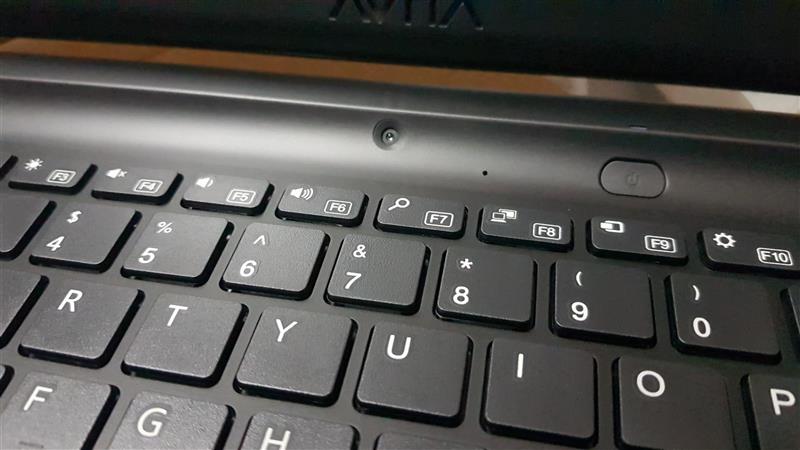
There is a 2.1MP webcam that can take 1080p 1920×1080 pictures and videos. This makes it ideal for online classes and video calls. It is placed above the keyboard, which is an odd location for a webcam but the display frame is so thin that it was understandable.
Verdict
Battery life is great but it is non removable. All internal components are non-upgradable, including memory and storage.
AVITA Essential NE14A2INC433-MB runs completely silent as there are no fans inside. It has stellar battery life, good keyboard and multi-touch touchpad. I do miss dedicated context menu key.