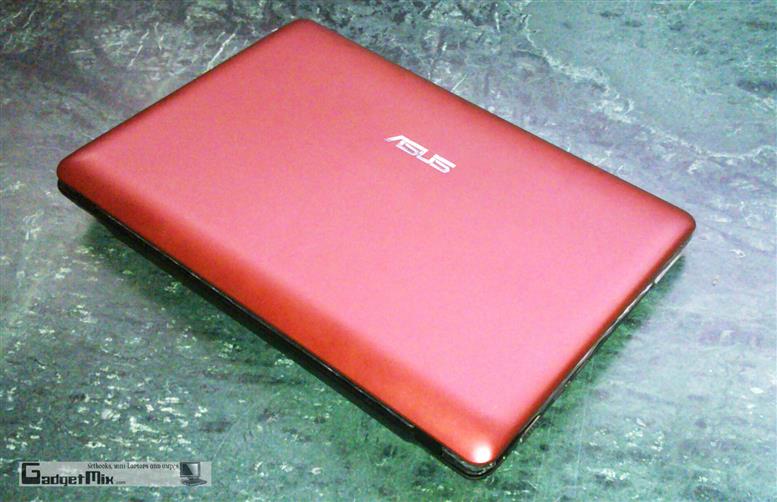
ASUS EEE S101H REVIEW – Detailed!
After the sweet success of ASUS EEE S101, ASUS rolled out a hard disk version of it, the EEE S101H. It is built along the lines of S101. It is just 2.5cm thin; weighs just 1.1kg and its metallic finish makes it perfect for making a style statement. But, do not go swayed away by its looks, it is pretty powerful too. Read the full review to find more about it!

Unboxing
Like S101, it comes in a black box. Immediately when you open the box, you will see a case. The unit resides in the case itself.
Design
The S101H is very sleek and light device. In my hands, it feels much smaller than the EEE 1000H although they both have 10.2-inch display.
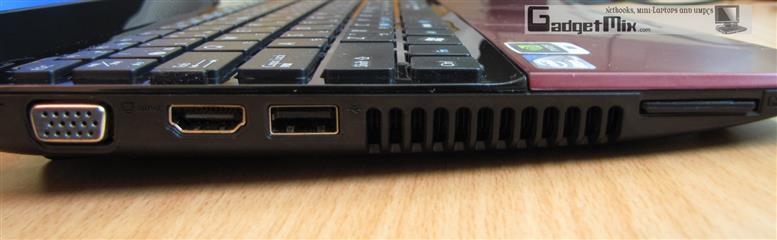
It has its hinges adorned by crystals, which adds to its luxury touch. On its left side, you will find two USB ports.
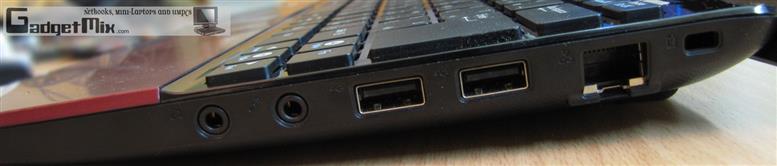
On its right side you will one USB port followed by an earphone and microphone jack.
On the back of the unit, you will SD/MMC card reader, VGA-out, LAN port, power port and Kensington lock.
The cover holds two LEDs which show the charging status and power status. The power LED lights up when the EEE is on and blinks when the netbook is in standby mode. The charging LED is orange on AC power and green on battery power.
Bootup
I found the bootup of EEE 1000HE and EEE 1000H faster than the S101H. They both have similar configurations, but S101H took considerably long time to load. Perhaps it is due to the Norton Internet Security, which the ASUS has bundled with the EEE S101H. Here is the video of the bootup process. The S101H took about a minute and a half to bootup. This is a quite a lot of time for a netbook that is running XP as its OS.
ASUS EEE S101H bootup from Kamal DS on Vimeo.
Display
It uses 10.2-inch display with 1024 x 600 resolution, which is quite normal for a netbook. The screen is adequately bright and colors look vibrant. The screen is not glossy like one found on Acer Aspire Ones and I appreciate their decision as glossy screens are extremely hard to use when used outside in the sun.
Here is how it looks from various angles:
There is a 0.3MP webcam above the display. It is decent enough for Skype video calls. Dual-microphones sit beneath the display.
Keyboard
The keyboard is exactly the same as found on S101. The keys take very little effort to register a key-press. The keys also have a some glitter, which further increases its luxury look.
In the below given picture, you can see the keyboards of EEE 1000HE, EEE S101H and EEE 701 at a glance.
I was able to achieve over 100WPM on S101H’s keyboard. That pretty much gives you an idea of how good the S101H’s keyboard is. However, some of you may get a little annoyed by the small right key placement. I do not have a problem with that as I do not use the right shift at all while typing. Left shift key is enough for me.
Touchpad
The touchpad is different from the one found on EEE 1000H and EEE 1000HE. The left mouse key and right mouse keys are now integrated into one single bar found below the touchpad. Pressing the left side of the bar registers a left click and right side of bar registers a right click. The touchpad is big and easy to use. It supports the usual multi-touch gestures like two finger scroll, zoom-in and zoom-out functions.
Speakers
There are two speakers located on the front of the unit. They are not as loud as speakers of 1000H, but are fine for stuff like Skype calls and such.
Performance
The EEE S101H is equipped with N270 Atom processor and the performance was decent as per netbook standards. The only grip was the long boot up time. I installed Adobe Photoshop CS3 extended and Office 2007. Both loaded fine and were joy to use.
The processor supports underclocking/overclocking. ASUS has bundled a utility called SHE (super hybrid engine), which takes care of the clock speed. It has the following modes:
- Power saving mode
- Auto power saving mode (available only when on battery power)
- High performance mode
- Auto high performance mode (available only when on connected to mains)
- Super performance mode
Battery Life
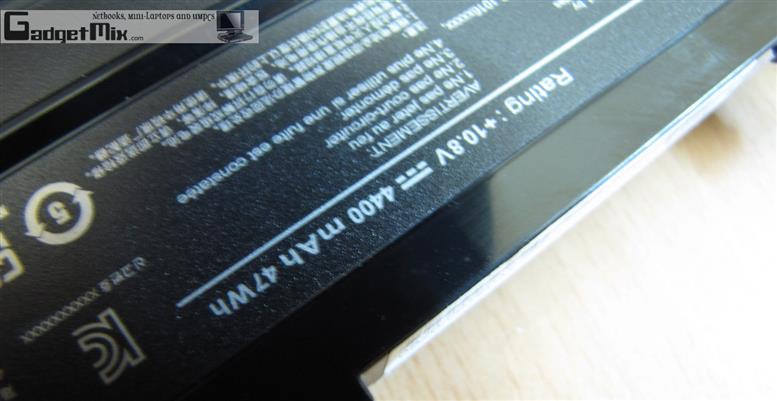
The EEE S101H comes with 4200mAh li-polymer battery. I used the netbook in different occasions and I typically got 3.5-4 hours of battery life with wifi-on. The brightness is also a huge factor here. I kept the brightness halfway. This is decent for a netbook which is this slim and stylish. If you are looking for exceptional battery life, go for EEE 1000HE instead, which would give you 7+ hours of battery life. But, then it is not as light and stylish.
Benchmarks
So, how does this netbook performs in benchmark tests?
HD-TUNE (comparison of S101H and 1000HE respectively)
CrystalDiskMark
CrystalMark
CPU-Z
Expandability
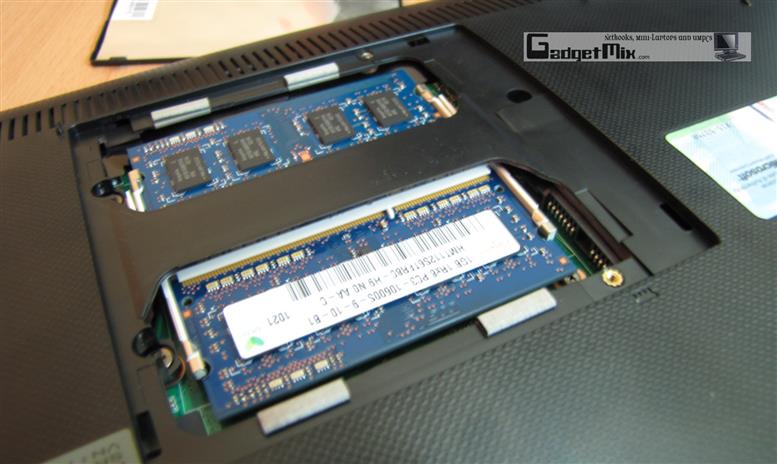
The EEE comes with 160GB HDD and 1GB RAM. Both the HDD and RAM can be easily upgraded.
Final Verdict
We really liked the sleek design of the S101H. However, given the high price of S101H over EEE 1000H and lack of built-in 3G or 3.5G may turn off a lot of potential buyers. That said, it is a great buy if you can afford the price and do not mind the lack of 3G. It has a got a great keyboard and decent battery life, making it a great netbook to carry around.
Some Comparison Pictures
Pros:
- Stylish design
- Slim profile
- Nice keyboard
- Nice bundled case
- Windows XP as bundled OS
- Multi-Touch touchpad
- Recovery partition
- 160GB HDD (upgradable)
- RAM upgradable to 2G
- Low weight
Cons:
- Bit pricey
- Small right shift key may annoy some users
- No built-in 3G or 3.5G (mobile broadband)
[ASUS EEE S101H official webpage]
Related Content

Sign up to the Gadgetmix Newsletter (free) for news and reviews mailed directly to your mailbox CLICK HERE


Excellent review Kamal! Its bootup time is the only thing that has disappointed me. I don’t care about battery life as most of the time, I am connected to mains
EEE 1000HE looks so big and S101H looks so petite in the last 2 pics!
Your review just convinced me to trade in my AA1 for s101h. This is one hell of a sexy beast!
Nice review kamal. I would still go the 1000HE just for the sake of having ‘an all day device’
Impressive review, unimpressive device. As Paulie said I too expect 6+ hours of battery life from any netbook these days
[...] that’s all we have to tell you about the S101H. You may now head over to Gadgetmix.com for their full review of the Eee PC [...]
Good review. I wonder why S101H performed so slow in the boot up. That kills the purpose of a netbook..right?
Kamal, can you tell me if Visual Studio .NET works fine on it? I will be buying it for university degree and running Visual Studio on this is very important for me
[...] Pour plus de détails sur cette nouvelle machine rendez-vous sur ce site (en anglais) ici. [...]
Yes, VS works fine on it.
Great Review, functionality vs. appearance… thanks for the details!
Best review of this machine I’ve seen, thanks! One query… can you uninstall Nortons easily? Have found the thing hard to get rid of in previous computers. And if if can be uninstalled, does this help boot-up time?
@ JehniT: Thanks for the compliment. Yes, one can uninstall norton just the way you uninstall other apps.
..and yes, it does decrease the boot time!
any machine as sleek and light as this and i dont mind the same price but better performance machine ????????
[...] Gadgdetmix) Share this article addthis_pub = [...]
[...] Read More By Kamal DS on May 03, 2009 | Comments 14 [...]
[...] Read More By Kamal DS on May 03, 2009 | Comments 15 [...]
How much display colors for most of netbook? Eee PC S101 only 252K colors?
All the netbook displays have 32-bit color depth. And they all look pretty much same.
Thanks Kamal, But on EeePC S101 Specification it is 252K colors:
http://www.asus.com.au/products.aspx?l1=24&l2=164&l3=0&l4=0&model=2595&modelmenu=2
I like the New S101H, But I am so confused. I like the comparison that you Made, but what about with other netbooks?
Can someone give me some more comparisons? I am planing to get another Netbook.
With what netbook do you want me to compare it to?
[...] Read the review to find out! By Kamal DS on May 03, 2009 | Comments 21 [...]